ClearToSwim.
Menu
Download ClearToSwim on the App Store

Pool lightning stoplight for iPhone

Green means swim.

ClearToSwim watches for lightning near your pool, turns red when it strikes close, and alerts your phone when it is clear to swim again.

For home pools, swim teams, community pools and pool parties.

Download ClearToSwim on the App Store Free. iPhone, iOS 15.1 or later.

Evacuation radius10 MILES Wait after last strike30 MINUTES

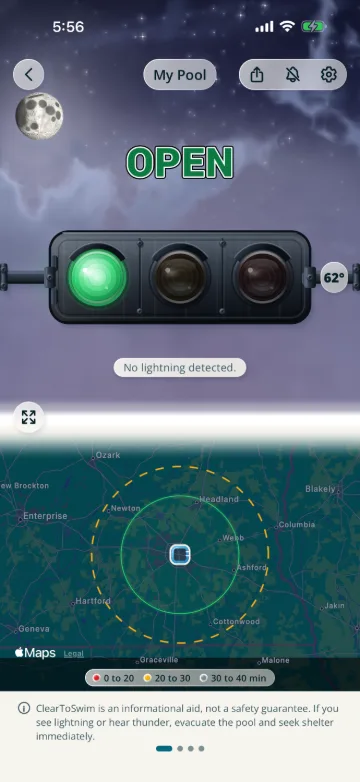
POOL OPEN Simulated and sped up, not live data

What the app tells you

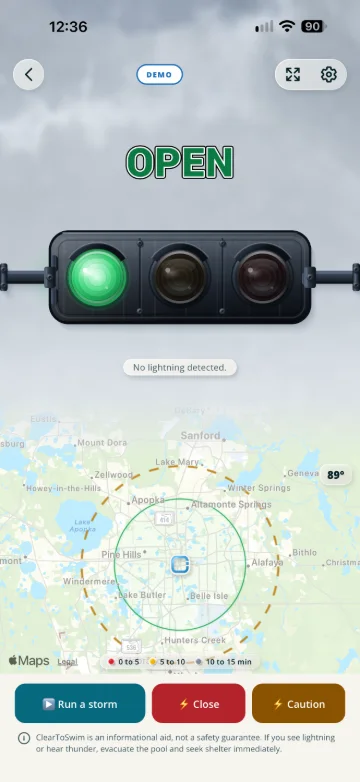
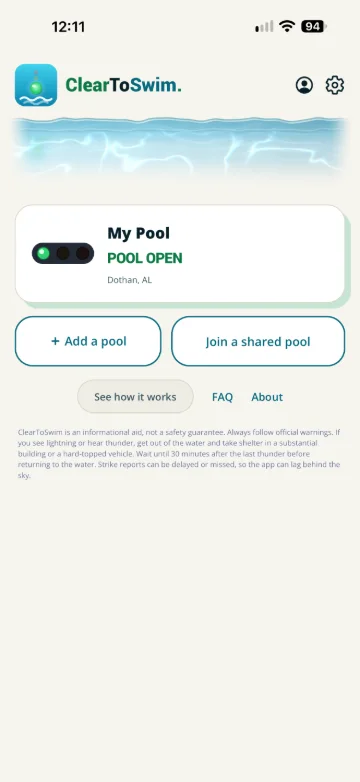
POOL OPEN

No lightning detected.

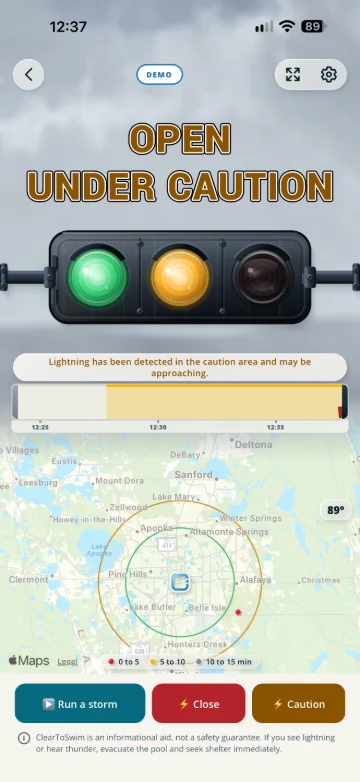
OPEN, UNDER CAUTION

Lightning has been detected in the caution area and may be approaching.

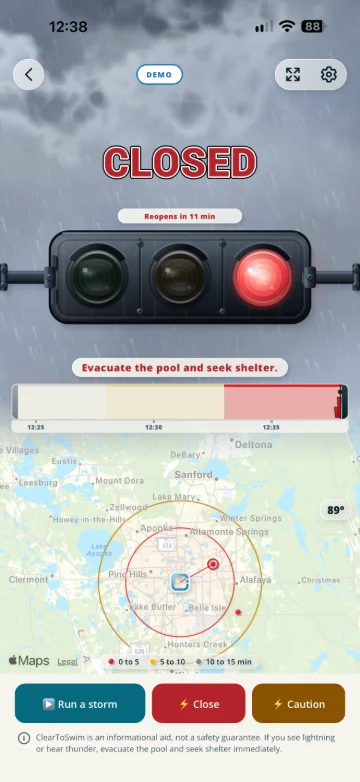
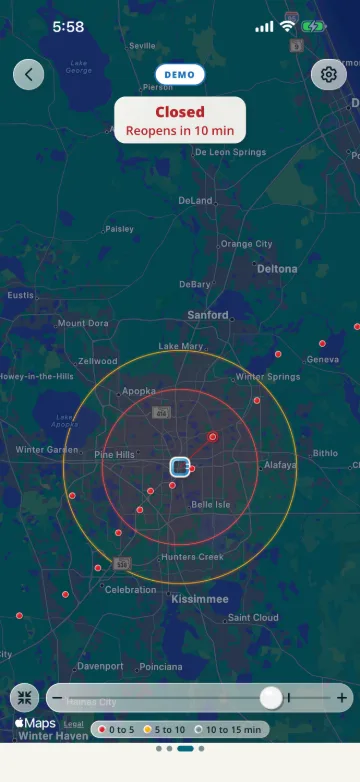
POOL CLOSED

Evacuate the pool and seek shelter.

REOPENING SOON

Stay out of the water until the pool reopens.

How it works

Set your pool's location. ClearToSwim watches for lightning around it.

  1. The 10-mile, 30-minute lightning rule, built in

    A strike within 10 miles turns the light red. The defaults follow National Weather Service guidance.

  2. Every close strike restarts the clock

    Each new strike inside 10 miles starts the full 30 minutes over, so nobody has to keep count.

  3. Back to green

    When the wait runs out, the light turns green and your phone gets an alert, even with the app closed.

An example storm

Green comes back at 3:01, not 2:35 or 2:47.

Strikes at 2:05, 2:17 and 2:31, each inside 10 miles.

Run a simulated storm

For whoever makes the call

  • Families with a pool “Can we get back in?” The light answers.
  • Swim coaches and teams Call practice by the rule, and share the light with parents.
  • Community and HOA pools Close and reopen by the same rule, every time.
  • Swim instructors Know if the next lesson can start.
  • Pool parties Let the light be the bad guy.

Everything it does

Watching the pool

The stoplight

  • Green, amber and red, with the reason under each
  • The 30-minute countdown, started over by every close strike
  • A live strike map with your radius and caution ring
  • Alerts on your phone when the light changes, even with the app closed
  • Email alerts too, if you want them

Set up your way

Your pools

  • Your own radius, caution ring and wait, per pool
  • Up to 10 pools watched at once
  • Pool hours, so nobody gets an alert at 3 a.m.
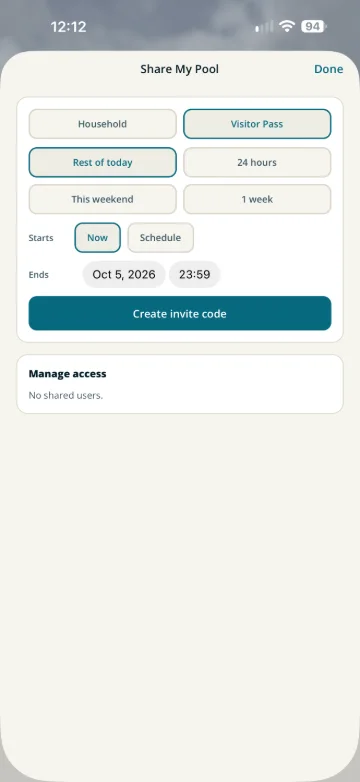
  • Share a pool with family, a sitter or a neighbor
  • Your pools follow you to a new phone: sign in with Apple or Google

Beyond the light

Around the pool

  • My location: the lightning near you, wherever you are, with alerts that can follow you
  • The full map: each pool's map full screen, with its rings and the strikes around them
  • History: the closures and strikes your phone recorded at each pool over the last 7 days
  • Pool care: your pool's volume, water ranges, season checklists and reminders
  • Sun and heat: how hot it feels, the UV index where the weather provider reports one, and the day at the pool hour by hour
  • Lights: send a pool's light to a smart bulb through IFTTT, Home Assistant or your own server

Download ClearToSwim on the App Store Free. iPhone, iOS 15.1 or later.

Some features need an optional in-app subscription.

Before you download

Is ClearToSwim free?

Yes. ClearToSwim is free to download. Some features need an optional in-app subscription.

Do I need an account?

Yes. You sign in with Apple or Google, and your pools are saved to it, so they follow you to a new phone.

Where does it work?

The lower 48 states, Hawaii, southern Canada, Mexico, the Caribbean, and Central and South America. Not Alaska or most of Saskatchewan. If your pool is outside the area, the app tells you on the pool.

What does it do with my location?

It needs your pool’s location. Type an address, or let it read your location once to drop the pin where you stand. If you turn on My location, it shows the lightning near you wherever you are, and its alerts can reach you even while the app is closed; with Always location, the alerts follow you. None of it is ever sold. The privacy policy has the details.

How long after lightning can we get back in the pool?

The standard rule is 30 minutes after the last strike within 10 miles, and every new strike inside that radius starts the 30 minutes over. ClearToSwim runs that countdown for you.

More on the support page, or email support@cleartoswim.com. A person answers.

The ClearToSwim app icon

Green means swim.

No radar squinting. No group-chat debate. Just red or green.

Download ClearToSwim on the App Store Free. iPhone, iOS 15.1 or later.